

The fastest, most scalable path off Etsy for digital creators is a Shopify store paired with a digital-delivery app and ready-made store assets. Start here: export your Etsy CSV, install Shopify’s Store Importer app, and load your product pages with pre-built templates from Zemssolutions.
Your shortlist: (1) Shopify Basic as your storefront, (2) Shopify Digital Downloads or Fileflare for file delivery, (3) Zemssolutions bundles for product pages, mockups, and marketing assets.
Table of Contents
- Why do creators leave Etsy — and when should you?
- What tools do you actually need to sell digital downloads off Etsy?
- Which migration approach fits your situation?
- How to migrate from Etsy to Shopify: the step-by-step checklist
- Digital-product specifics: delivery, licensing, mockups, and refunds
- What moves with you and what stays on Etsy?
- Key Takeaways
- The migration mistake most creators make
- What Zemssolutions gives you that speeds this up
- Useful sources and further reading
Why do creators leave Etsy — and when should you?
The core reasons are margin, control, and licensing flexibility. Etsy charges a $0.20 listing fee per item, a 6.5% transaction fee, and an additional payment processing fee. Selling direct, a $20 sale nets roughly $18.50 after Stripe fees versus a noticeably lower amount after Etsy’s stacked fees. Over hundreds of sales, that gap compounds fast.
Beyond fees, Etsy controls your storefront design, your customer data, and your search visibility. You cannot build an email list from Etsy traffic directly, and Etsy’s policies on PLR and MRR licensing are restrictive enough to block entire product categories.
When to migrate now:
- You sell professional templates, Notion assets, or PLR/MRR bundles (product types that favor direct stores over marketplaces)
- You have an existing email list or social following
- Your average order value exceeds $15 and you sell bundles
When a hybrid approach makes sense: Keep your Etsy shop active for discovery while routing repeat buyers and bundle purchases to Shopify. Etsy finds new customers; your Shopify store keeps them. This works especially well if you have fewer than 50 products and are still building organic traffic.
What tools do you actually need to sell digital downloads off Etsy?
“Etsy alternatives” in this context means the concrete stack that replaces what Etsy handled for you: storefront, checkout, file delivery, and product presentation. No third-party marketplace replaces that stack. You build it yourself, and it takes four categories of tools.
Core platform: Shopify powers over 6.9 million active storefronts and gives you full control over branding, customer data, and pricing. The Shopify Store Migration / Store Importer app handles the CSV import from Etsy.
Digital delivery: Shopify’s free Digital Downloads app covers basic use cases. For stamping, download-attempt limits, and larger file sizes, third-party apps like Fileflare add the protection and analytics that serious digital sellers need. Shopify Digital Downloads handles basic delivery, but most scaling stores add a paid app within the first few months.
Store assets: This is where most creators lose time. You need a Shopify-compatible theme, product-page copy templates, preview mockup images, license text (PLR/MRR), and email automation sequences. Building these from scratch adds weeks to your launch.
Pro Tip: Before you migrate a single listing, download all your digital files from Etsy manually. Etsy’s CSV export captures listing data but does NOT export your actual files. Budget one hour per 20–30 products for this step.
Which migration approach fits your situation?
Three realistic paths exist for creators moving off Etsy. The right one depends on your catalog size, technical comfort, and how fast you need to launch.
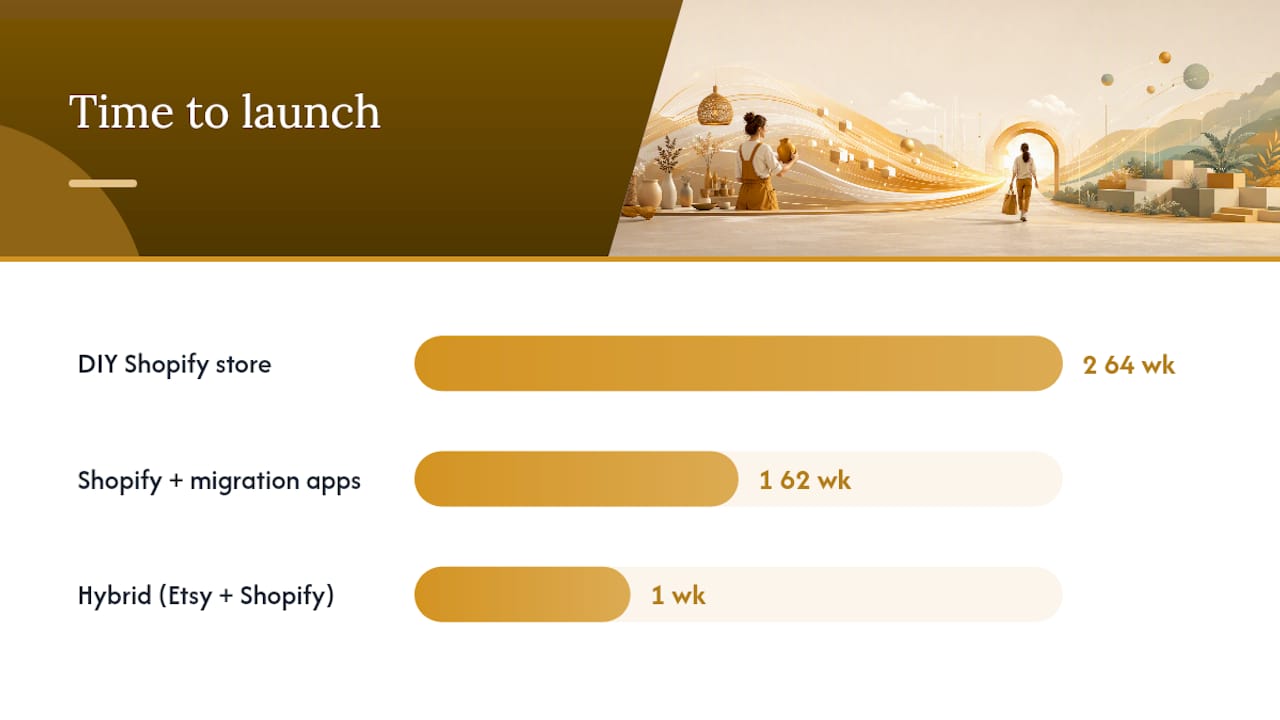
| Approach | Best for | Cost to start | Ease of setup | What’s included | Scalability & ownership | Time to launch |
|---|---|---|---|---|---|---|
| DIY Shopify store | Validated creators with 20+ products and some tech comfort | Shopify Basic + free apps | Moderate — theme setup, CSV import, manual file upload | You source all assets: theme, copy, mockups, delivery app | Full ownership of data and brand | 2–4 weeks |
| Shopify + migration apps (Store Importer + Fileflare) | Sellers with 50–200 products who want bulk workflows | Shopify Basic plus monthly app fees | Low-moderate — bulk attachment tools reduce manual work | Listing import automated; files still need manual upload | Full ownership; bulk tools save hours | 1–2 weeks |
| Hybrid (Etsy discovery + Shopify owned sales) | Hobby sellers or new creators still building an audience | Shopify Basic alongside free Etsy listings | Low — run both simultaneously | Both channels active; Shopify for bundles and repeat buyers | Partial — Etsy still controls discovery traffic | 1 week to add Shopify |
Which profile are you?
- Hobby seller (1–20 products): — Start hybrid. Keep Etsy running, launch Shopify for your best-selling bundles first.
- Validated creator (20–100 products): — Migrate with Store Importer + Fileflare. Use Zemssolutions templates to build product pages without starting from a blank document.
- Scaling brand (100+ products): Full migration with bulk-attachment workflows. Zemssolutions PLR/MRR bundles give you ready-to-sell products and license files that are already formatted for a Shopify store.
How to migrate from Etsy to Shopify: the step-by-step checklist
Shopify’s migration documentation covers the broad strokes. Here is the operational sequence for digital sellers specifically.
- Download all digital files manually. Etsy’s CSV does not include your actual files. Open each listing and download the attached file. For large catalogs, Fileflare’s three-phase bulk workflow saves significant time.
- Set up your Shopify store — Choose a theme, configure your domain, and install the Store Importer app from the Shopify App Store.
Digital-product specifics: delivery, licensing, mockups, and refunds
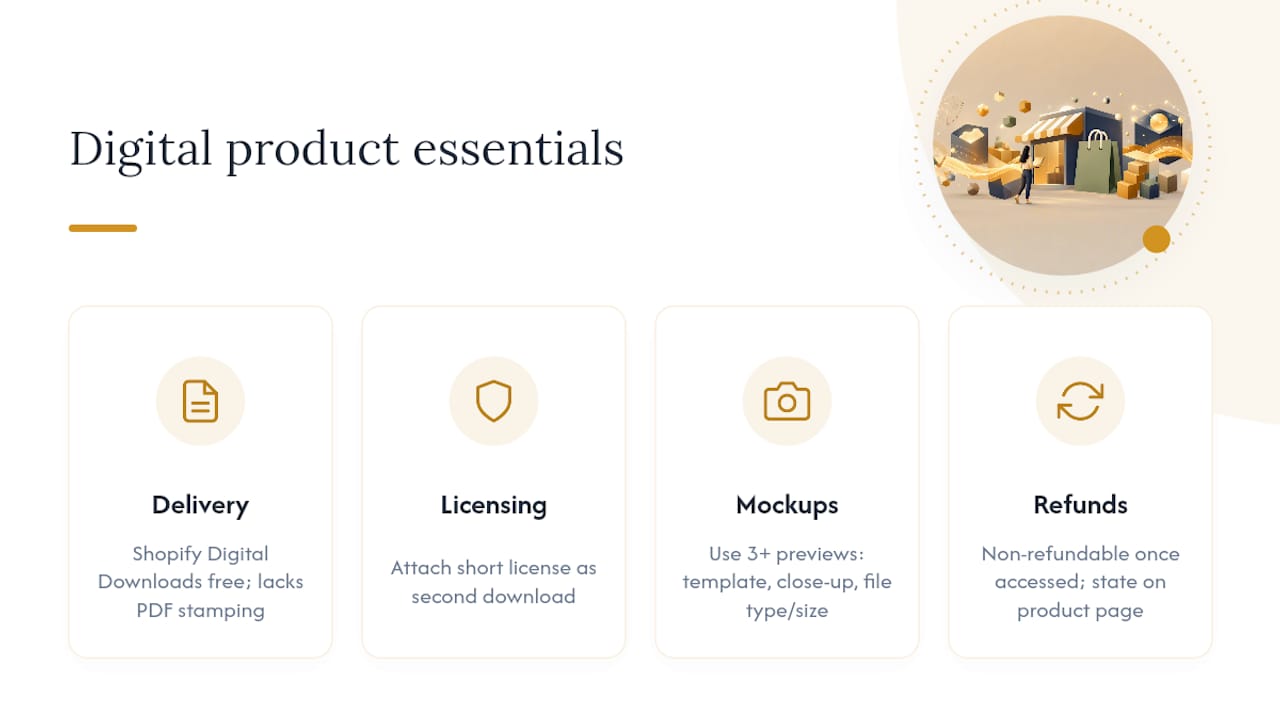
File delivery on Shopify requires more configuration than Etsy’s built-in system. Shopify Digital Downloads is free and handles most use cases, but it lacks PDF stamping and granular download-attempt controls. Fileflare and similar apps add those features for sellers whose products carry commercial licensing.
Licensing (PLR/MRR): Include a short license file as a second download attachment on every applicable product. A minimal license snippet: “This file is licensed for personal and commercial use. Resale of the original file is permitted under Master Resell Rights (MRR). Redistribution of the editable source file is not permitted.” Adapt to your specific terms and have a lawyer review if you sell at volume.
Mockups and previews: A product page with three or more preview images converts better than one with a single flat screenshot. Show the template in use, show a close-up of a key feature, and show the file type and size. Buyers who can see exactly what they are downloading submit far fewer refund requests.
Refund policy: Digital downloads are generally non-refundable once accessed. State this clearly on your product page and at checkout. Shopify allows you to add a custom refund policy per product.
Pro Tip: For PLR/MRR products, create a separate “License & Terms” PDF and attach it as a second file on every listing. Buyers who receive it upfront ask fewer post-purchase questions.
What moves with you and what stays on Etsy?
What you can export from Etsy:
- Listings (CSV with titles, descriptions, prices, tags)
- Orders (CSV with buyer name, email, order details)
- Customer emails (from order history — importable into Klaviyo or Mailchimp)
What cannot transfer:
- Etsy reviews and star ratings (these live on Etsy’s platform permanently)
- Etsy Favorites and shop followers
- Etsy’s search ranking history
Replacing social proof is the most underestimated part of migration. Tactics that work:
- Follow-up email sequence: Three days after purchase, send a short email asking for a review on your new Shopify store. Include a direct link to the review form.
- Testimonial import: Screenshot your best Etsy reviews (with the reviewer’s first name and star rating visible) and display them as image testimonials on your Shopify product pages. This is publicly visible information and a common practice.
- Incentivized review collection: Offer a small discount on a future purchase in exchange for a review. Keep the incentive modest and the ask genuine.
For post-migration customer support, write three canned responses before you launch: one for “where is my download,” one for “the file won’t open,” and one for refund requests. These three queries cover the vast majority of digital-product support tickets.
Key Takeaways
Shopify plus a digital-delivery app plus ready-made store assets from Zemssolutions is the fastest, lowest-risk path off Etsy for creators selling digital templates and downloads.
| Point | Details |
|---|---|
| Export first, files second | Download your Etsy CSV and then manually save every digital file before touching Shopify. |
| Recommended stack | Shopify Basic + Fileflare + Zemssolutions templates gets a small catalog live in under one week. |
| What doesn’t transfer | Etsy reviews stay on Etsy; replace social proof with screenshot testimonials and a post-purchase email ask. |
| Fee math favors direct | A $20 direct sale nets nearly all the payment after Stripe fees, versus a lower amount after Etsy’s stacked fees. |
| Zemssolutions speeds launch | Ready-made product-page templates, PLR/MRR license files, and Canva mockups cut setup time for creators migrating off marketplaces. |
The migration mistake most creators make
Most creators who struggle with this migration underestimate two things: how long traffic takes to rebuild, and how much product-page quality matters on a standalone store.
On Etsy, the marketplace’s search algorithm does some of the selling for you. Your product page just needs to be good enough. On Shopify, the product page does all the selling. A weak description, a single flat preview image, and no license text will tank conversion even if your product is excellent.
The second mistake is treating migration as a one-time event. The technical move takes days. The marketing rebuild takes months. Creators who launch Shopify and immediately close their Etsy shop lose discovery traffic before their SEO and Pinterest channels have any traction. The hybrid approach, running both simultaneously for 3–6 months, is not a hedge. It is the correct sequencing.
One practical shortcut: batch your work. Rewrite all product descriptions in one session, create all mockups in one session, and configure all delivery settings in one session. Context-switching between these tasks adds hours to a migration that should take days. For catalogs over 100 products, Fileflare’s bulk-attachment workflow is the single biggest time-saver available.
What Zemssolutions gives you that speeds this up
The hardest part of leaving Etsy is not the technical migration. It is showing up on Shopify with product pages that actually convert. Zemssolutions solves that directly.

The Entrepreneur’s Digital Toolkit and the All-in-One Business Templates bundle give you editable product-page copy, Canva preview mockups, and PLR/MRR license files as instant downloads. You load them into your Shopify store, customize the branding, and your product pages look professional from day one. No blank-page paralysis, no hiring a copywriter, no sourcing mockup photographers.
For social media, the 8,400 Canva Social Media Templates Bundle covers Pinterest pins, Instagram previews, and TikTok thumbnails — every format you need to drive traffic to your new store. Everything arrives as an editable instant download, ready to adapt to your brand colors and product lineup.
Browse the full business and entrepreneurship resource library to find the bundle that matches your catalog size and launch timeline.
Useful sources and further reading
- Migrate from Etsy to Shopify — Shopify Help Center
- Moving from Etsy to Shopify — Shopify Blog
- Shopify vs Etsy for Digital Products: Costs, Traffic, Control — Printify Blog
- Where to sell digital products online: marketplaces vs your own store — SendOwl Blog
- How to sell digital products on Shopify — Clyro blog
- Etsy to Shopify for digital sellers: a migration guide — Fileflare
- Shopify vs Etsy for Digital Products: Costs, Traffic, Control — Ecomreality
- The Entrepreneur’s Digital Toolkit – Templates, Planners & More – ZEMS SOLUTIONS
Recommended
- The Entrepreneur’s Digital Toolkit – Templates, Planners & More – ZEMS SOLUTIONS
- Business Success Toolkit – Templates & Planners for Entrepreneurs – ZEMS SOLUTIONS
- All-in-One Business Templates – Editable Docs for Entrepreneurs – ZEMS SOLUTIONS
- Ultimate Business Template Bundle – Plan, Manage & Grow – ZEMS SOLUTIONS